One governed surface for the whole ServiceNow delivery loop
AITHEOR plans, builds, reviews and ships ServiceNow change on the official SDK. AI does the drafting; your governance decides what reaches production. Below is every capability, with the surfaces you actually work in.
Describe, build, deploy. Nothing ships without sign-off.
Every change moves through the same governed path: the build grounds itself in real sources, an expert SME review checks it against your standards, and promotion needs a reviewer's sign-off. The deploy gate is not optional, and not a setting you can quietly skip.
One shared data model, not two versions of the same table
A real ServiceNow app is one scoped application: one data model, one role set. From a plain-language backlog, reconciled against your live instance, the Blueprint derives the app's tables and fields, an entity-relationship diagram for the whole app, and the roles and surfaces it needs. OOTB-first, so a new custom table has to justify itself, and every build reuses the same model instead of reinventing it.
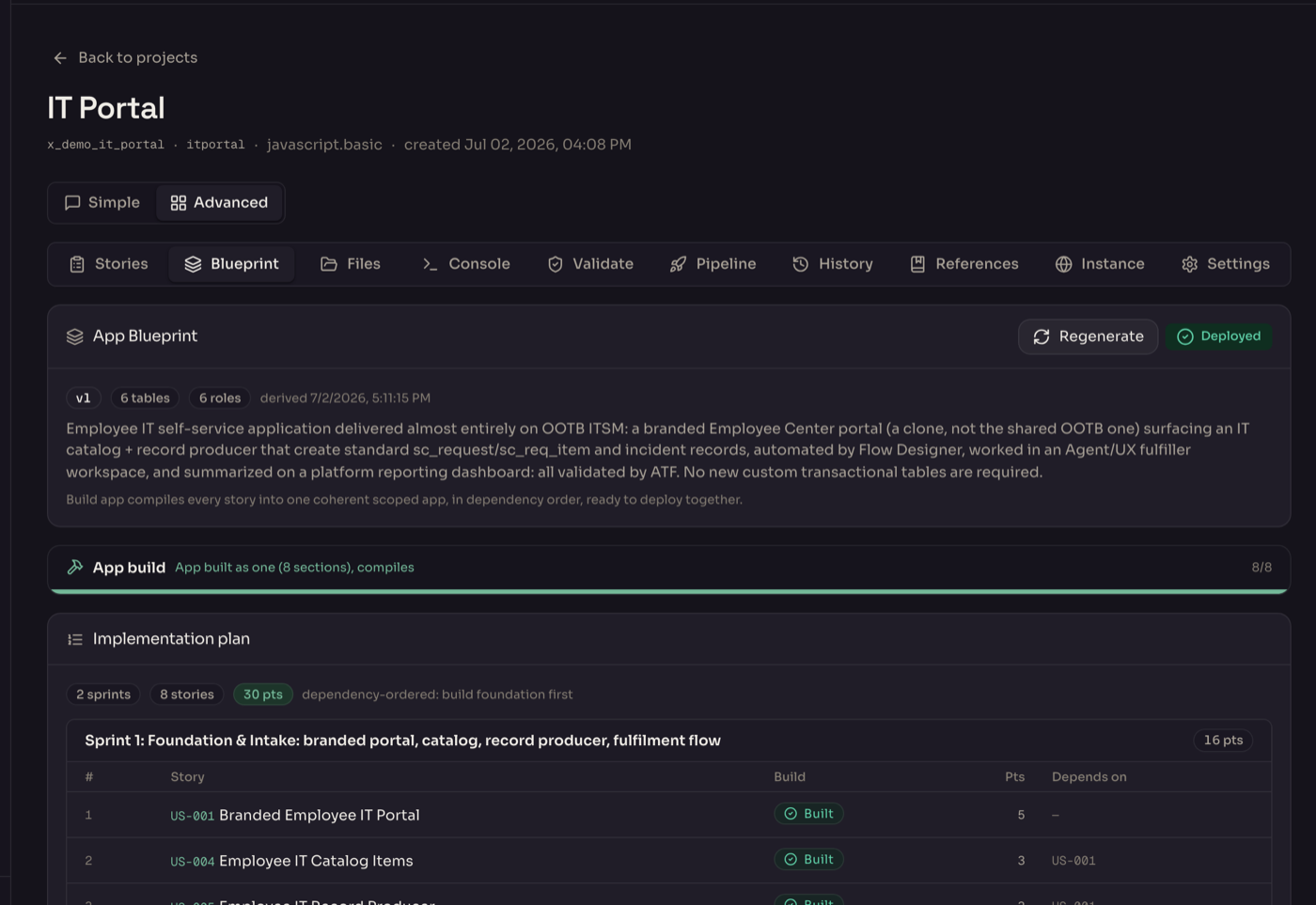
Design documents that cite their sources
As part of the build, AITHEOR writes the design and discovery document: what is changing, why, and what it touches. Claims are cited back to your instance and to ServiceNow standards, so reviewers trust the design instead of re-deriving it.
Answers grounded in official ServiceNow docs
Ask a platform or how-to question and AITHEOR answers from the official ServiceNow documentation, with real, clickable citations. Platform behavior comes from the docs, not from a model guessing.
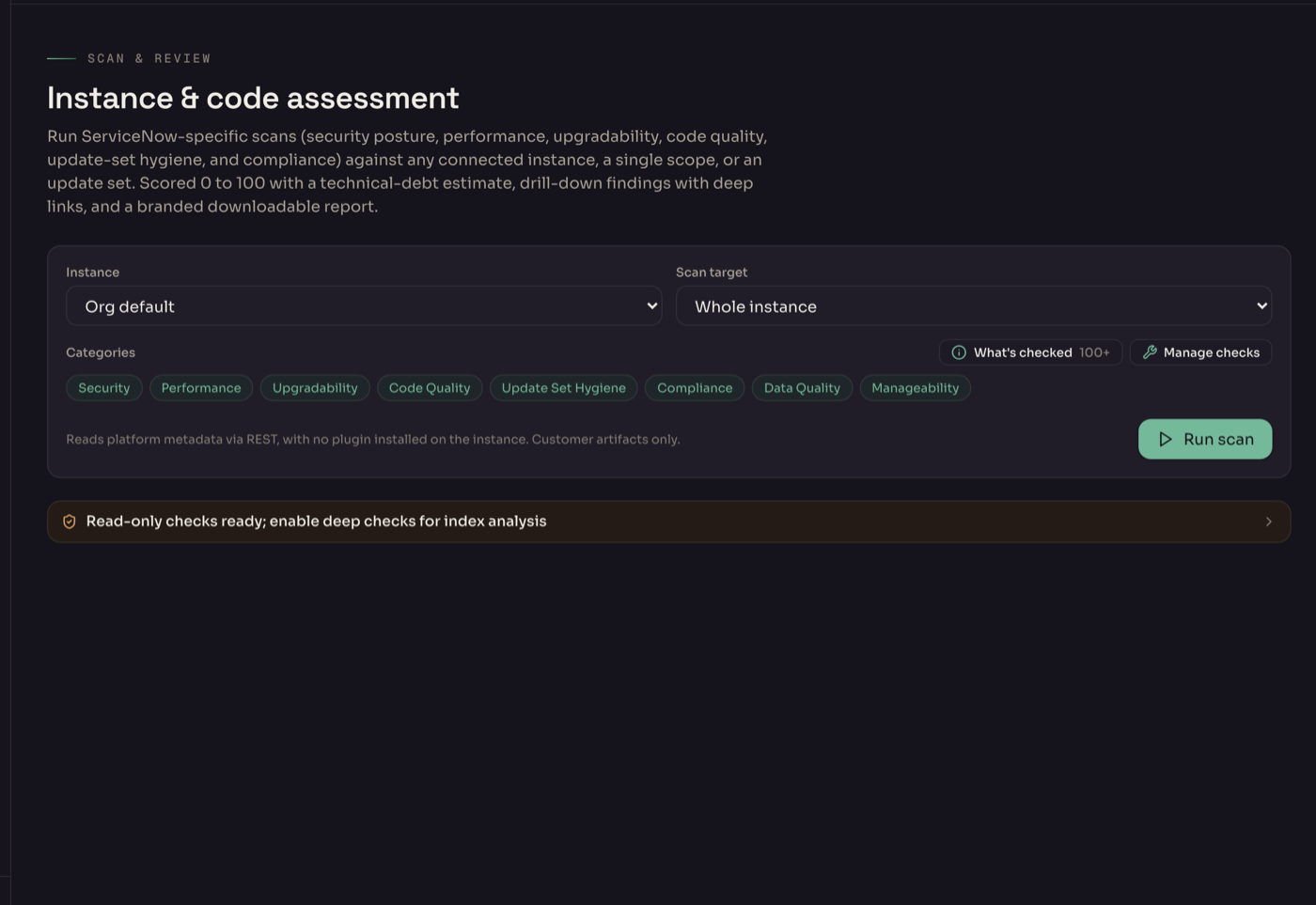
Checks that turn into fixable work
AITHEOR scans against a large built-in library of ServiceNow-specific checks for security, performance, upgradability and best practice, plus custom checks you write, regex or query based. Point it at the whole instance, one application scope or a single update set. Findings do not just sit in a report: each becomes a story you route through the same approval-gated self-heal as any other change.
Score your CMDB against CSDM, then fix it
AITHEOR reads your live CMDB service model and scores it against the Common Service Data Model: a transparent readiness score and crawl-walk-run maturity. The model is drawn as labeled CSDM layers, Business Service, Service Offering, Application Service, and every finding explains why a record is misaligned, with the record and the exact query. The deterministic fixes apply through the same approval-gated, audited writes as any other change.
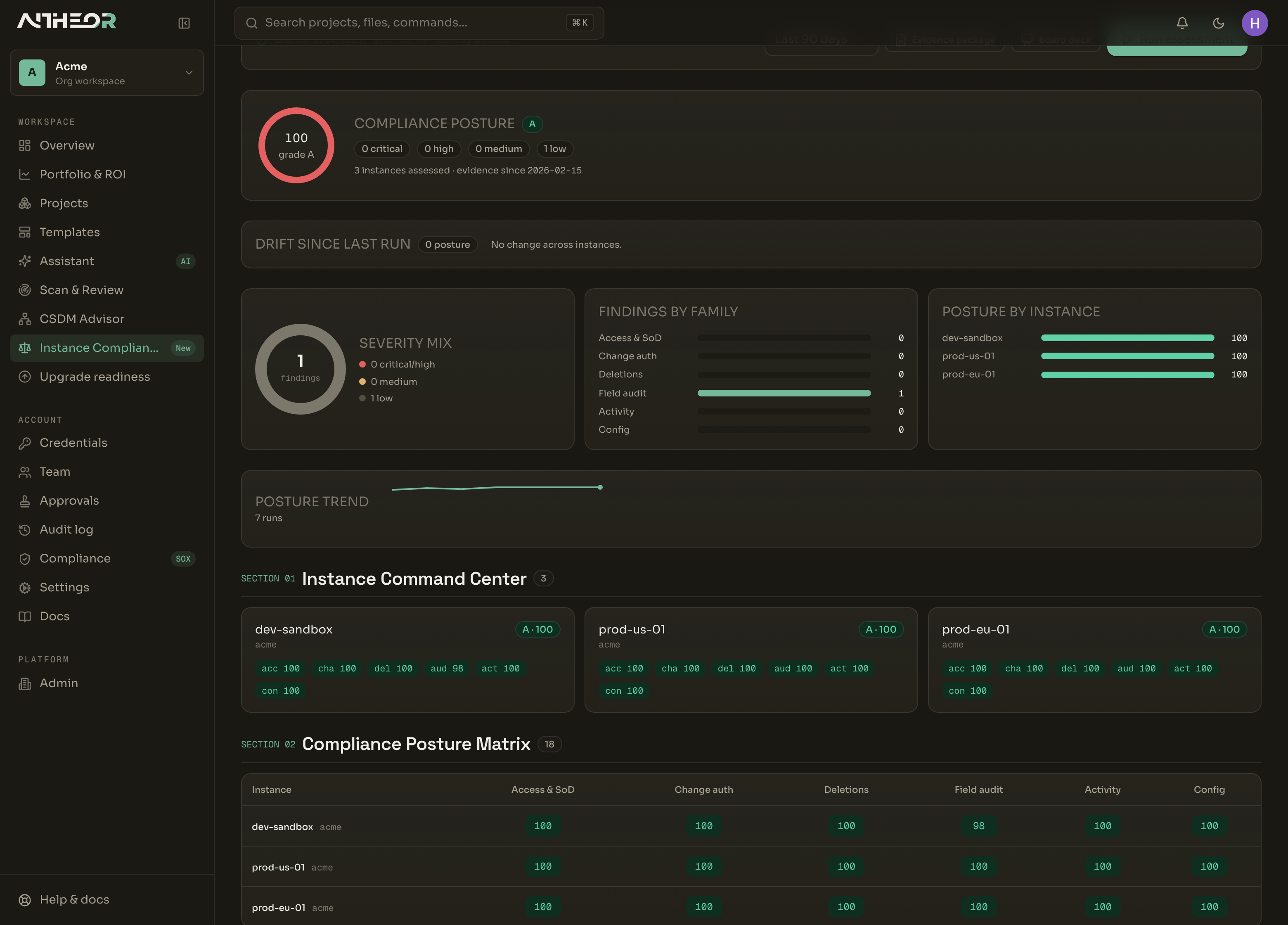
Prove compliance across every instance
One posture for the whole estate. AITHEOR reads compliance evidence from every connected instance, access and segregation of duties, change authorization, deletions, the field-audit trail and security activity, then tests a defined set of technical controls mapped to SOX ITGC, SOC 2, 21 CFR Part 11, DORA and NIST 800-53. It produces an auditor-ready evidence package and a board deck, with remediation, risk-accept exceptions and access-certification campaigns. A targeted control test, not a certification claim.
Know your estate before you upgrade it
Manage keeps a live inventory of the apps and plugins across your instances and runs an upgrade-readiness check, so a family upgrade is a known quantity. See what is installed, what skipped customizations will collide, and what to test first.
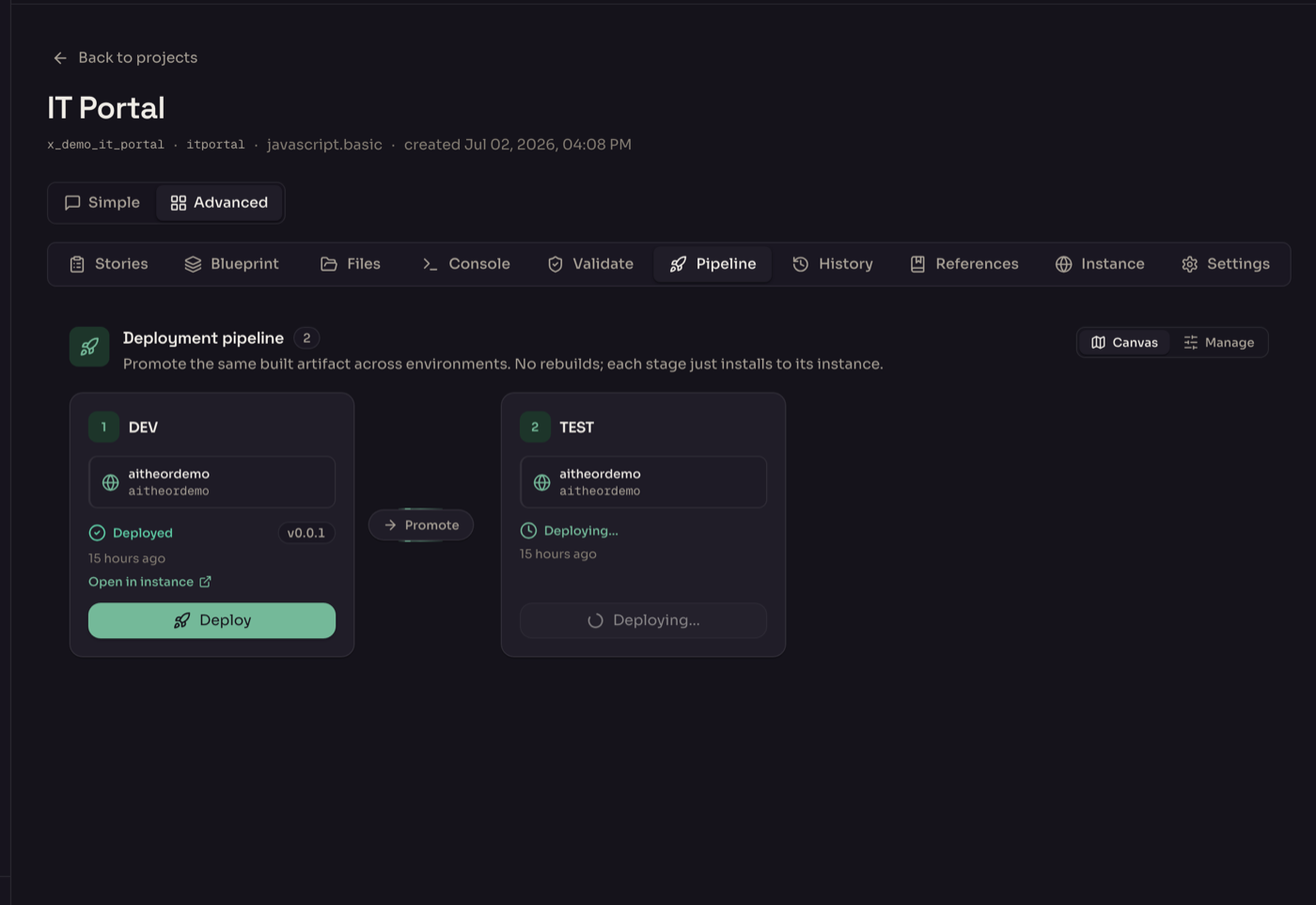
Promote across the estate, dev to test to prod
The deploy canvas shows your instances as a pipeline and promotes the same built artifact between them under the same approval gates, with no rebuild between stages. Every landing is verified by reading the instance back, not by trusting the installer log, and each deploy is snapshotted so a rollback restores and reinstalls the prior version.
One jump to the place you actually need
AITHEOR keeps the direct links a delivery team needs in one place: the portal, the catalog item, the dashboard, the flow you just changed. No hunting through application navigator, one click to the live object in your instance.
An assistant that knows your real entities
Talk to your project and your instance. Mention real tables, flows and records with @, drive AITHEOR with slash commands, and ask it to troubleshoot a live instance. It works against what is actually there, not a generic chatbot guess.
Built for the security review
AITHEOR is built for banks, government and regulated enterprises. The controls procurement asks for are in the product, not on a roadmap slide.
Full posture, sub-processor list and DPA available under NDA.